Your countermove
for any message.
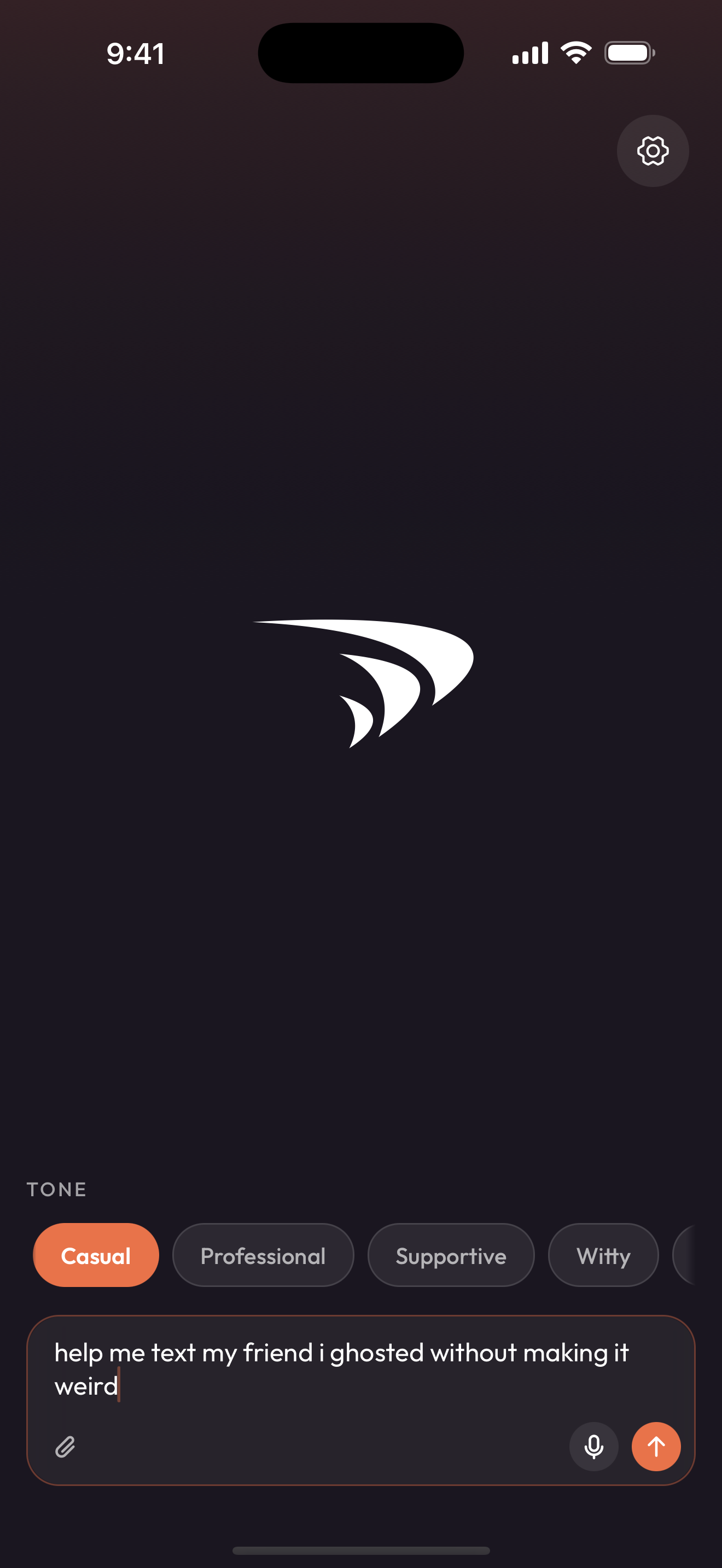
Reply or reach out, in any app, in your tone. Describe it, paste it, snap it, or say it. Four ready-to-send options in seconds.

Free to download. No account needed.
Sound familiar?
Your boss asks a loaded question. Your crush finally texts back. The group chat is waiting on you to nail it.
parry helps you find the right words, in the right tone.
How it works
Three steps. The right reply.
01
Give parry the situation.
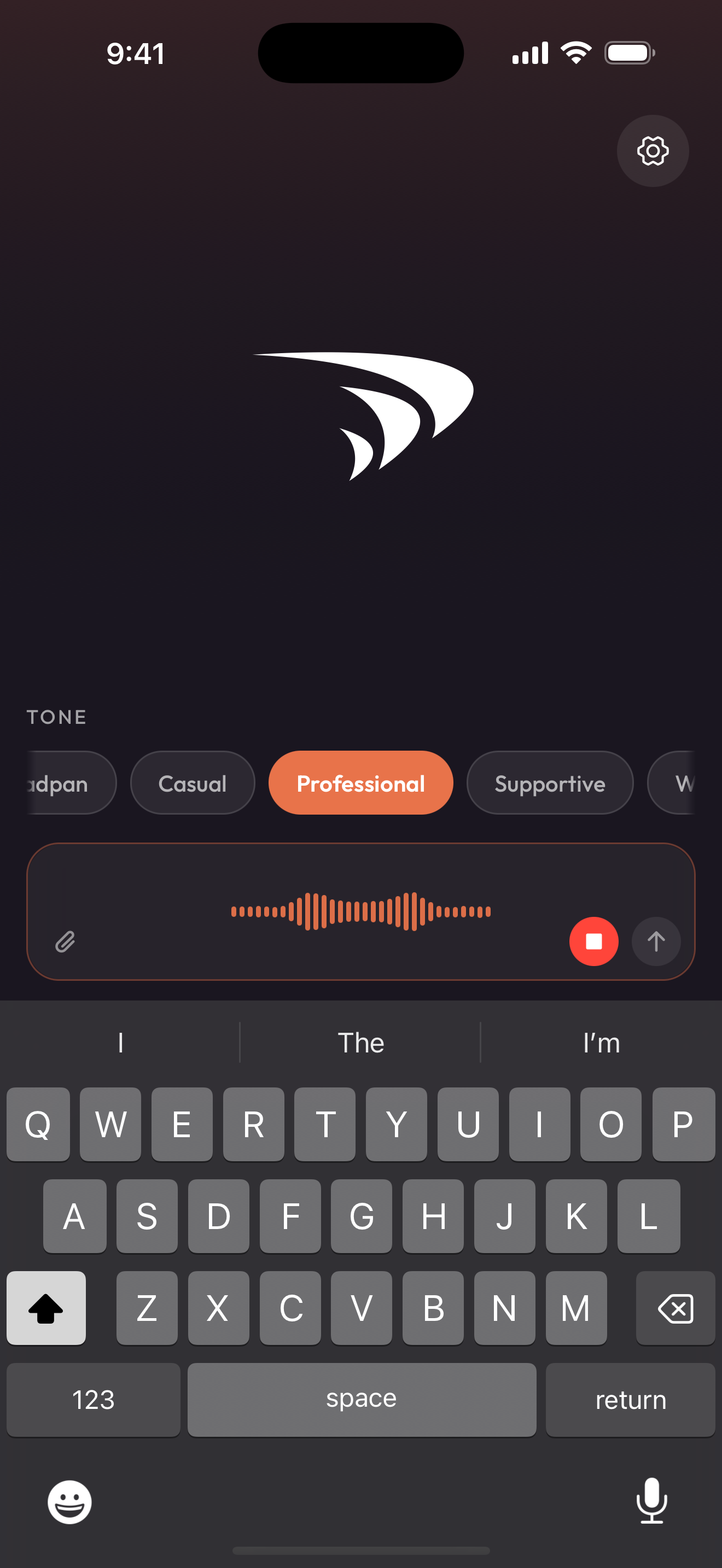
Type the context, paste a message, drop a screenshot, or just say it out loud. Works whether you're replying to something or reaching out first.
02
Pick a tone.
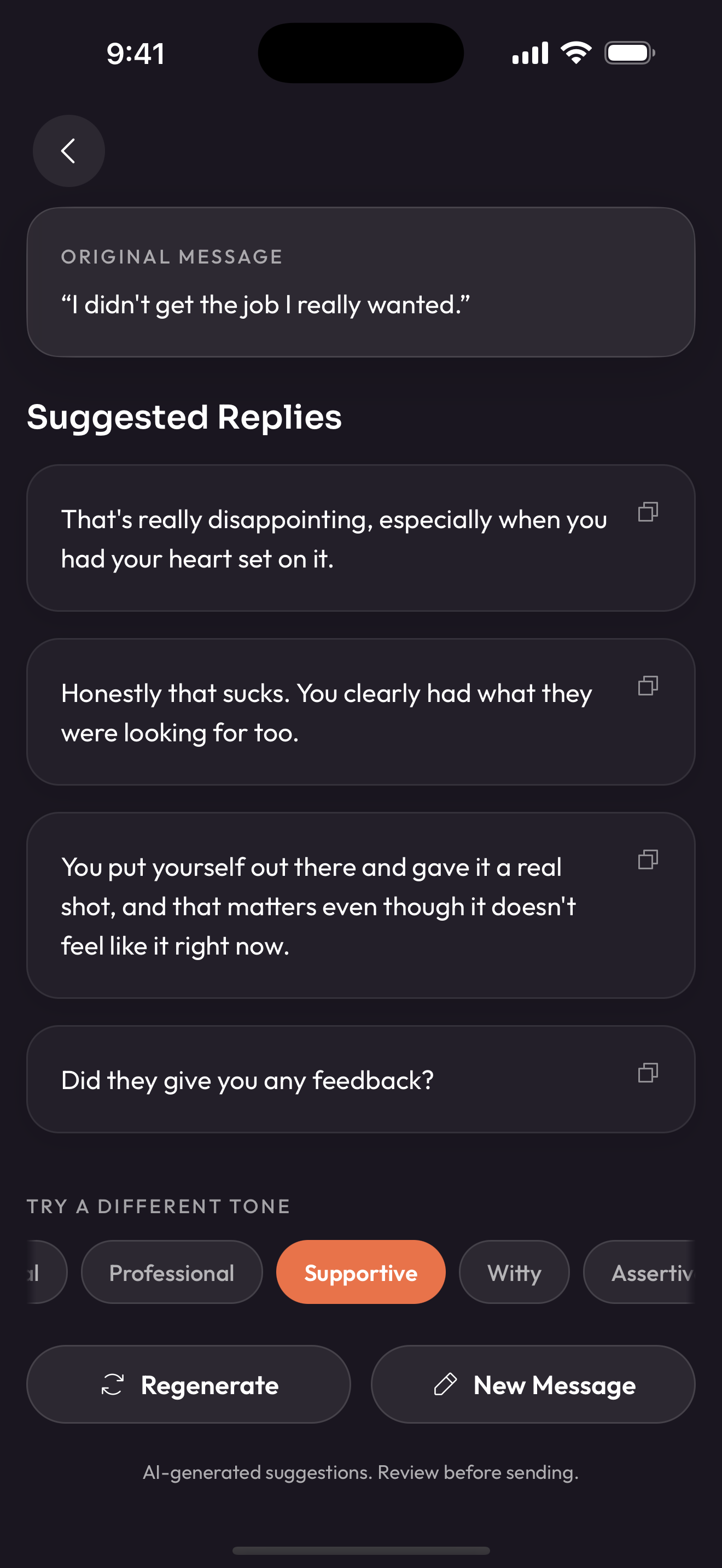
Five built-in tones, plus any custom ones you build. Pick the one that fits the moment.
Tone
03
Get four replies. Send the one that fits.
Four ready-to-send options in seconds. Tap to copy, switch back to your chat, hit send. Not the one? Regenerate or try a different tone.
Tones in action
One message. Different tone. Different reply.
Tap a tone. Watch the reply change.
Original message
“hey can we talk later? something's been on my mind”
Suggested replies
big sisWhy parry
Built for the way you actually message.
Make a tone that's you.
Casual covers the basics. When you want a voice that's actually yours, build a custom tone in a sentence and parry will speak that way in every reply. Free includes one custom tone. Pro unlocks four.
It reads the room for you.
parry picks up on what's actually going on. It reads the relationship and the stakes before suggesting how to respond. Drop in a screenshot, speak the situation, or type it out.
Privacy
Anonymous by design. Not by promise.
parry doesn't keep your conversations, and your words are never used to train AI models.
Not stored by parry
Our own servers never keep the messages you paste in.
Never trained on
Your conversations are never used to train AI models. Your words stay yours.
Anonymous by default
No account to create. No email, no password, no phone number. Just open and go.
To write replies, your message and any screenshot you attach are sent to our AI provider, Anthropic, which may keep them up to 30 days for safety review before deleting them.
FAQ
Questions, answered.
Is parry free?
Yes. The free tier gives you five generations per day and one custom tone, no account needed. If you want more, you can upgrade to parry Pro.
How much does parry Pro cost?
parry Pro is available as a monthly or annual subscription. You can see current pricing in the app. Pro gives you 200 generations per day and up to four custom tones.
How does it work?
Paste a message you've received, pick a tone that fits the situation, and parry generates four ready-to-send replies. Tap to copy, switch back to your chat, and send. The whole thing takes seconds.
Is my data safe?
Yes. parry doesn't store your conversations on our servers, and your messages are never used to train AI models. To generate replies, your message and any screenshot you attach are sent to our AI provider, Anthropic, which may keep them up to 30 days for safety review before deleting them. We keep only minimal, anonymous usage data, never your message text or images. Read our full privacy policy for details.
What tones are available?
parry includes five built-in tones: Casual, Professional, Supportive, Witty, and Assertive. Everyone can also create one custom tone preset (like "the rizler" or "corporate robot") that matches their style. Pro subscribers can create up to four custom tones.
What makes parry different from ChatGPT?
parry is purpose-built for messaging replies. No prompts to write, no blank text box. Just paste, pick a tone, and go. It's faster, simpler, and designed for the one thing you actually need: knowing what to say back.
Can I use parry for work?
Definitely. parry is great for Slack messages, client emails, performance review responses, scope-creep pushback, and those "can we chat?" messages that make your stomach drop. The Professional tone keeps things polished without sounding robotic.
What kind of messages can I use parry for?
Basically anything. Texts, DMs, dating app messages, emails, Slack messages, group chats, social media comments. If someone sent you a message and you're not sure what to say back, parry can help.
Do you store my messages?
parry doesn't store your conversations. To create replies, your message and any image you attach are sent to our AI provider, Anthropic, which may hold them up to 30 days for safety review and then deletes them. We never keep your message text or images on our servers, and they are never used to train AI models.
I reinstalled or got a new phone. Where's my Pro?
Still yours. parry has no accounts, so Pro lives with your Apple ID's purchase receipt. On a new phone or a fresh install, tap Restore Purchases on the upgrade screen and your Pro status, custom tones, and the day's usage count come right back. Nothing to sign into, no password to remember.
Stop overthinking. Start parrying.
Free to download. No account needed.